Redesigning Mercer | Mettl’s
Response Recorder Platform
Modernizing a decade-old exam platform to deliver an accessible, intuitive, and stress-free digital assessment experience for millions worldwide.
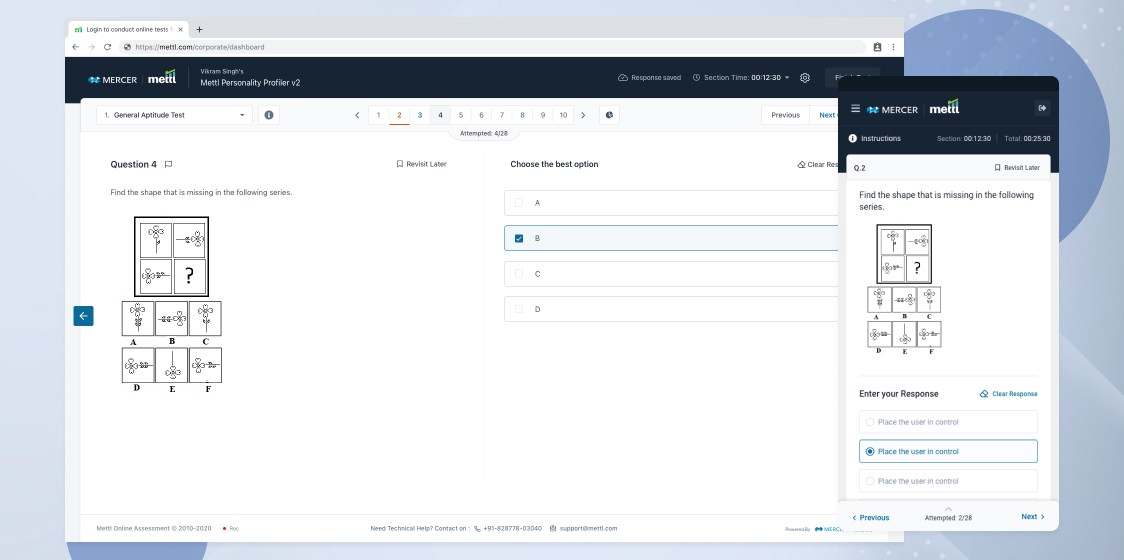
Overall Background
The Response Recorder (RR) platform has long been the core product powering Mercer | Mettl’s proctored assessments. It's used globally to conduct online exams that include secure proctoring through webcam, mic, and screen sharing. But the product had one big issue: its UI hadn’t changed in over 10 years.
With evolving UX standards, accessibility requirements, and user expectations, the legacy design had become a bottleneck—leading to user frustration, high support queries, and accessibility compliance risks.
Team Behind This Project



Duration: 10 months
Target Users: Job candidates, students, professionals
Platforms: Web (Desktop & Mobile)
Our Goals
The central objective of this revamp is to transform the platform into a modern, industry-leading experience by establishing a foundation of excellence across five core pillars. We will achieve WCAG 2.2 AA accessibility and exceptional usability through a simplified, intuitive interface, ensuring effortless interaction for all users. Our approach is mobile-first, guaranteeing a high-performance, responsive experience that is perfectly optimized for any device. Architecturally, we are focused on long-term scalability and maintainability, deploying a robust design system that future-proofs the product for rapid feature growth. Ultimately, this comprehensive modernization is designed to significantly boost user engagement and streamline workflows to elevate overall satisfaction.
Accessibility
WCAG 2.1
AA compliance
Usability
Intuitive & Streamlined Experience
Mobile Readiness
Fully Responsive
Mobile Friendly UI
Scalability
Future Ready
Scalable System
Challenges
• Unclear system feedback: Users didn’t know if responses were saved or if their system checks passed.
• Inconsistent UI patterns: Navigation and interaction elements varied across sections.
• Visual noise & accessibility violations: Poor contrast ratios, unreadable text, and no support for screen readers.
• Mobile performance issues: Laggy interface and poor usability on smaller screens.
• User anxiety: Candidates often took assessments in high-pressure settings, magnifying small UX flaws.

Research Approach
To validate assumptions and uncover user pain points, we ran a structured, multi-method research phase.

Heuristic Evaluation
UX audit to uncover
usability violations
Quantitative Survary
Collected feedback from 5000+ test-takers

User Interviews
In-depth sessions with 20+ candidates across different age group

Empathy Mapping
Documented emotional states before, during, and after the test
Key Insights
• Users were often unsure about system status (e.g., camera/mic working or not)
Candidates felt overwhelmed by lengthy instructions
Navigation breakdowns during assessments were common
Mobile users experienced incomplete flows and interaction failures
Lack of contextual help led to increased support dependency
UX Strategy
We framed the redesign using four guiding principles
• Clarity over Complexity – Show only what’s needed, when it’s needed.
• Consistency Builds Trust – Reusable patterns across all screens.
• Calm UI Design – Reduce anxiety with clean, soft visual language.
• Accessible by Default – Design for everyone, regardless of ability or device.

Design Execution
Our process moved from exploration to refinement with rapid iterations and cross-functional collaboration.

• New Information Architecture: Re-mapped entire assessment flow
• Low-Fidelity Sketches: Exploratory screen ideas for early feedback
• High-Fidelity Designs: Fully responsive screens
following our design system
• Prototypes: Functional simulations for usability testing and stakeholder demos
• WCAG-Ready Components: Built with keyboard navigation, ARIA labels, and screen reader support
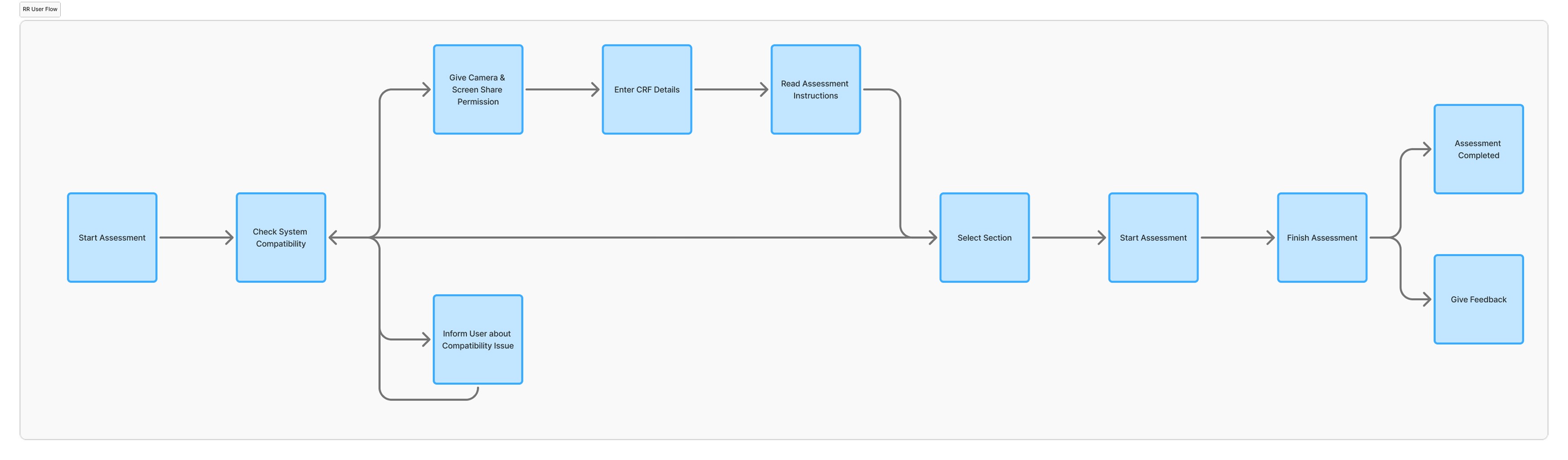
User Flow
Mapping the candidate's path through system validation, recording control, and final submission.
• The journey begins with accessing the test and passing mandatory system/proctoring checks (webcam, ID verification, secure environment setup).
• The candidate then initiates the recording of their response, following on-screen prompts while being monitored by the platform's proctoring features.
• The process concludes with the candidate formally ending the test and securely submitting the recorded response to the Mettl server.
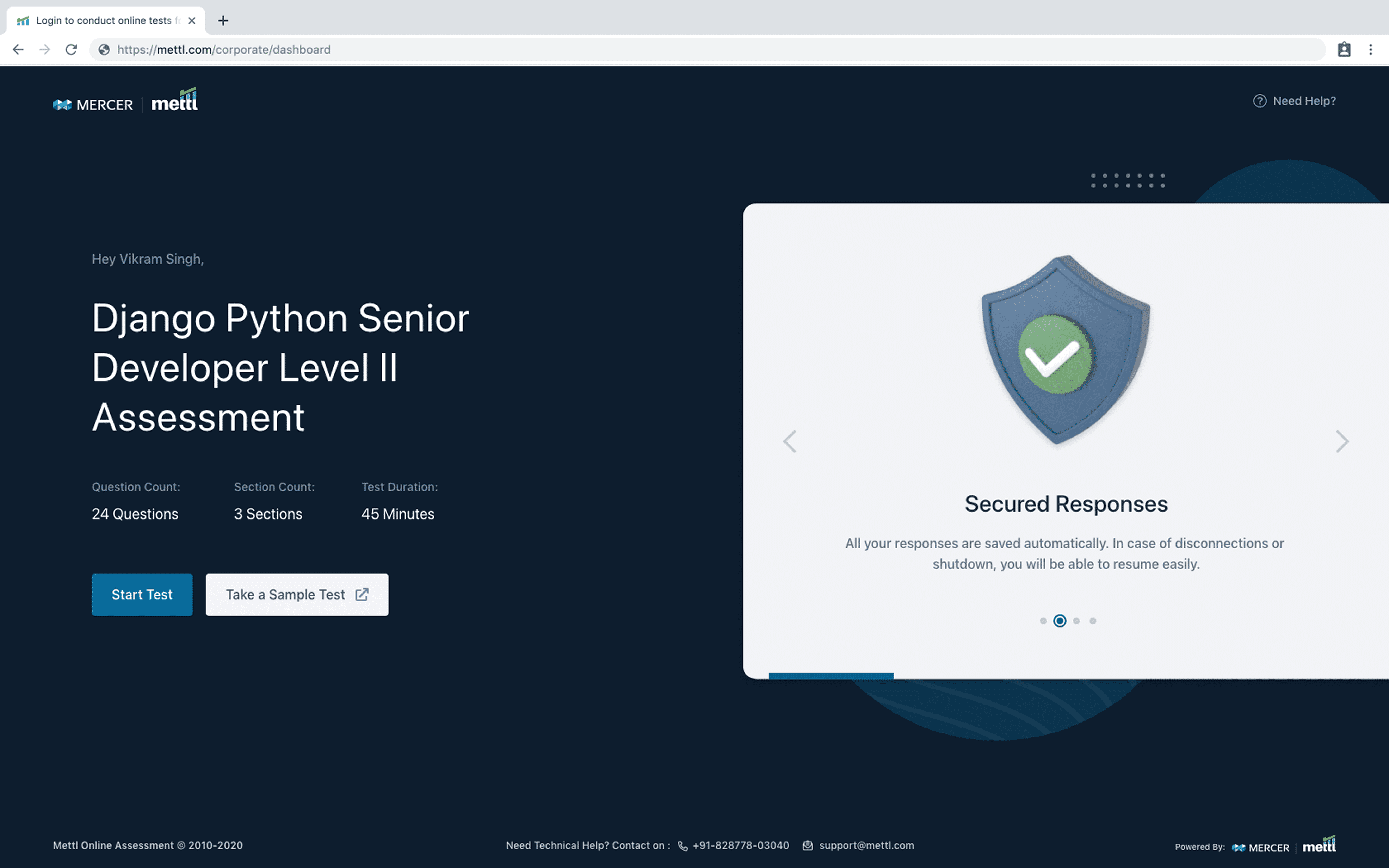
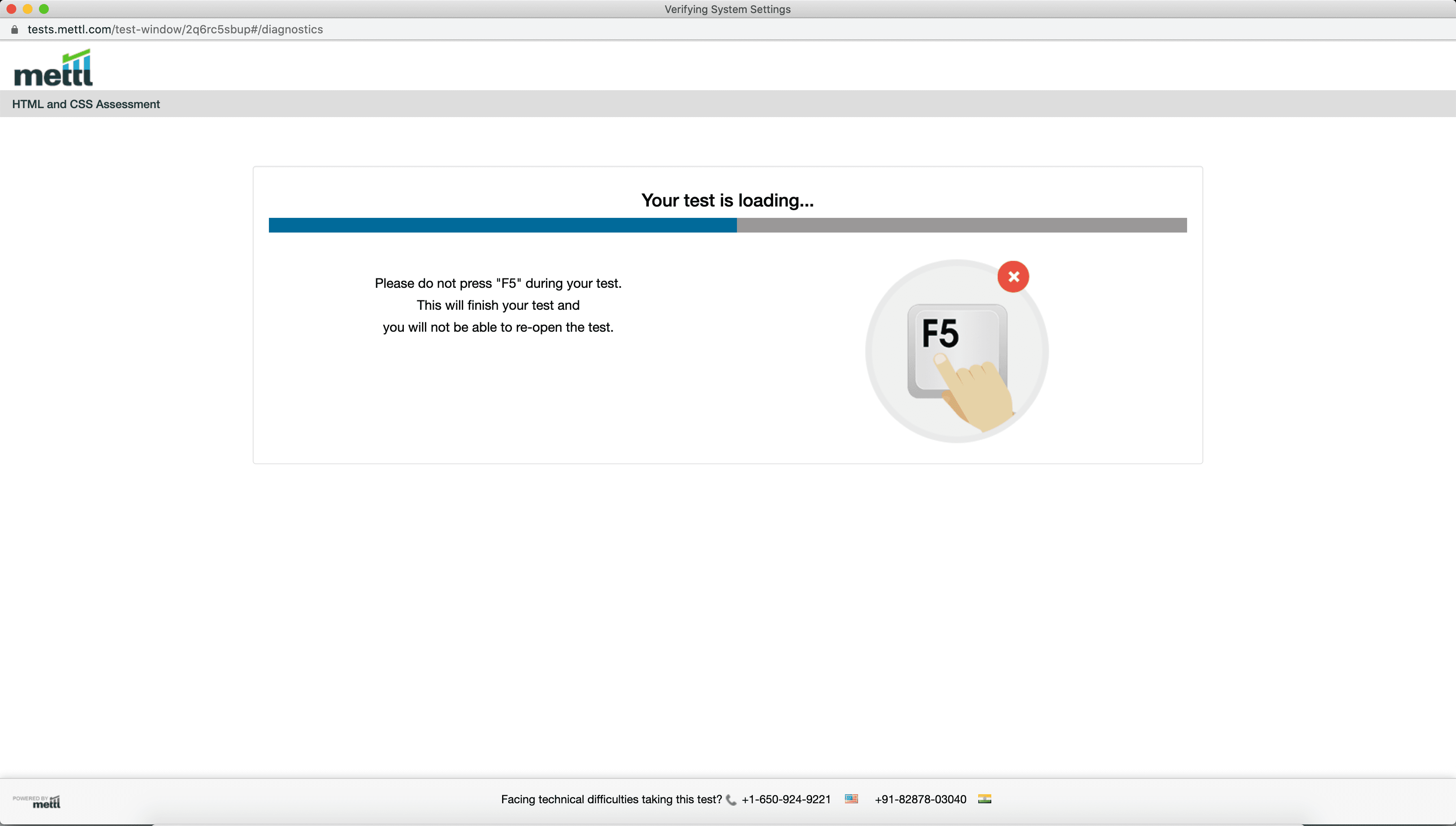
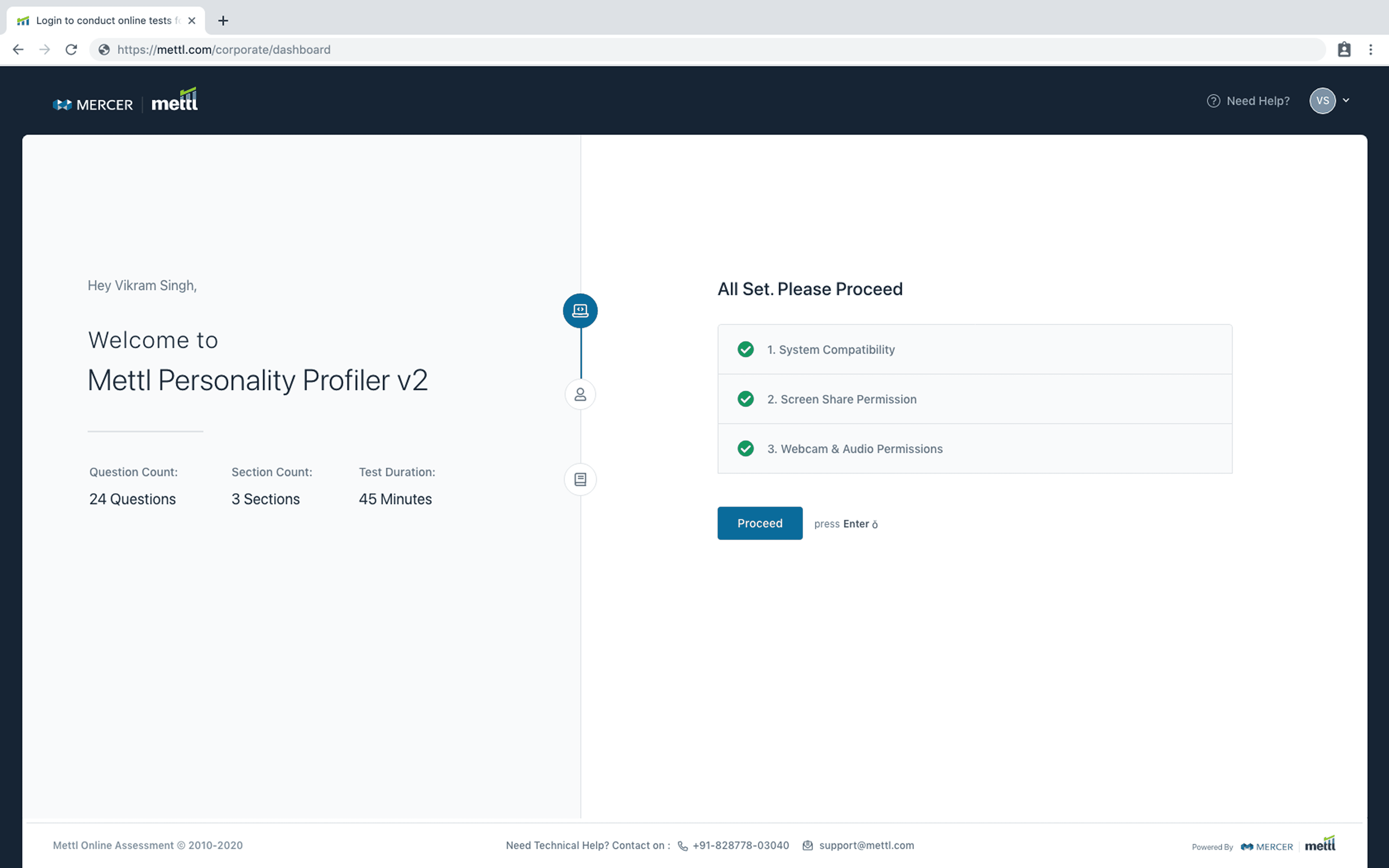
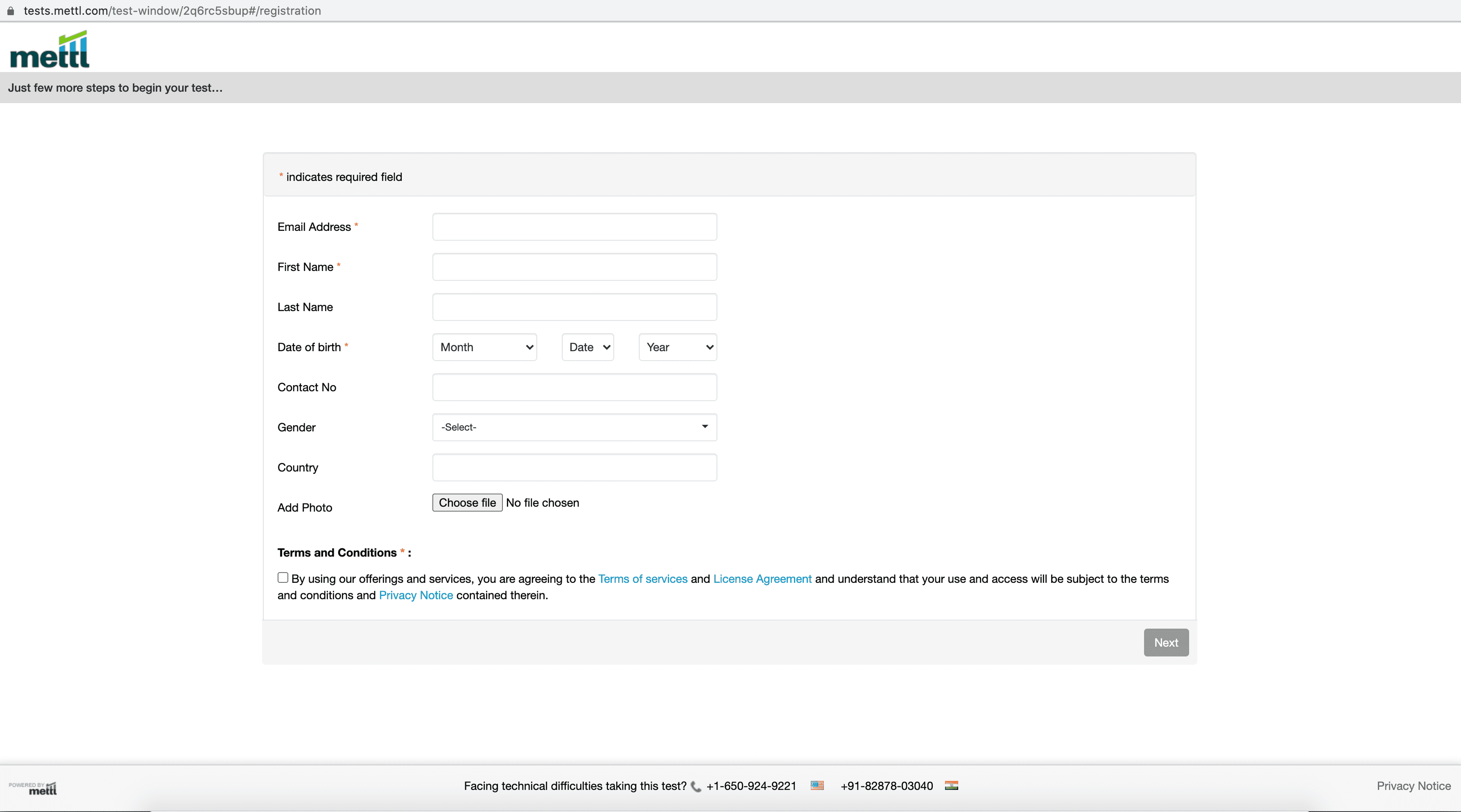
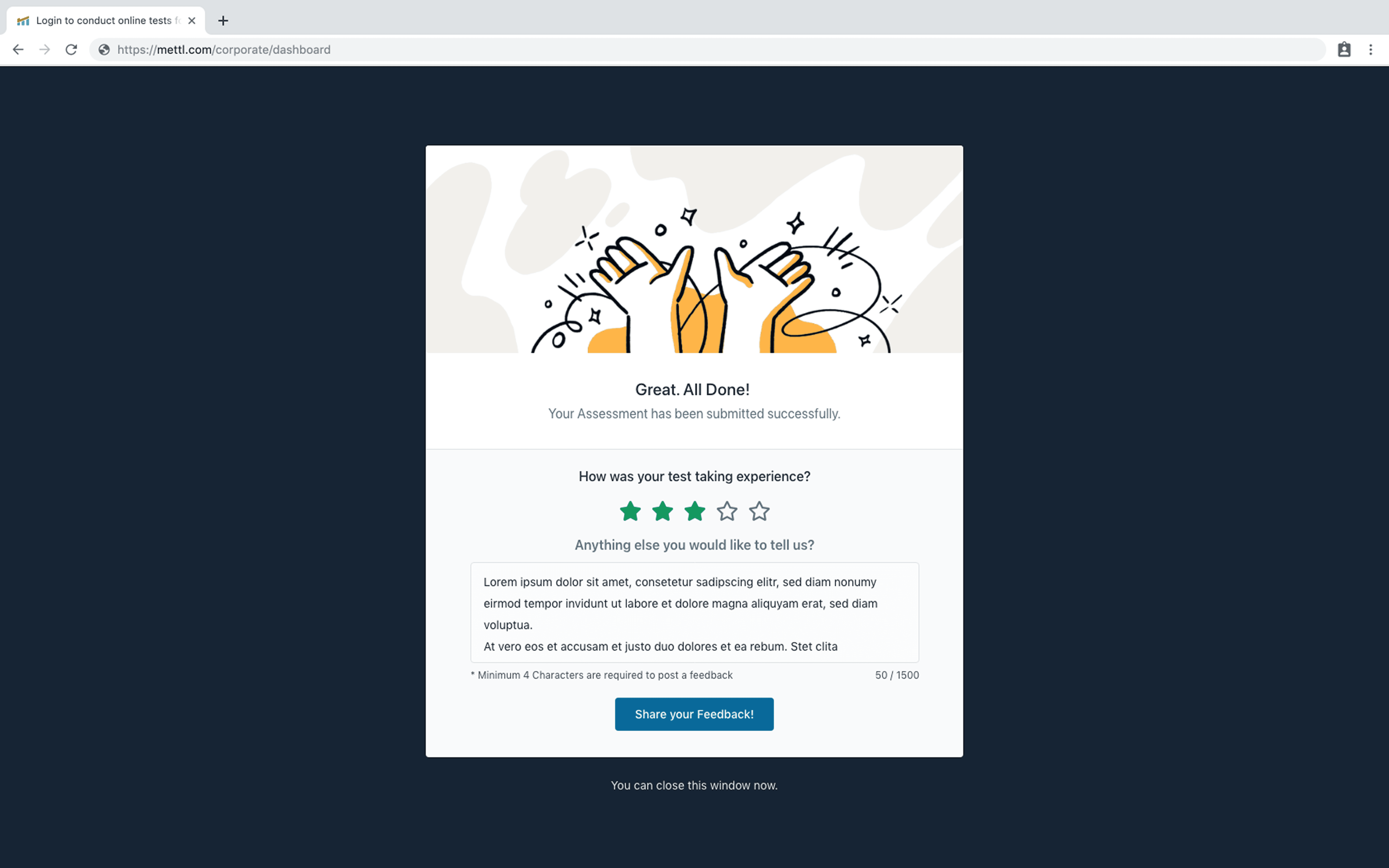
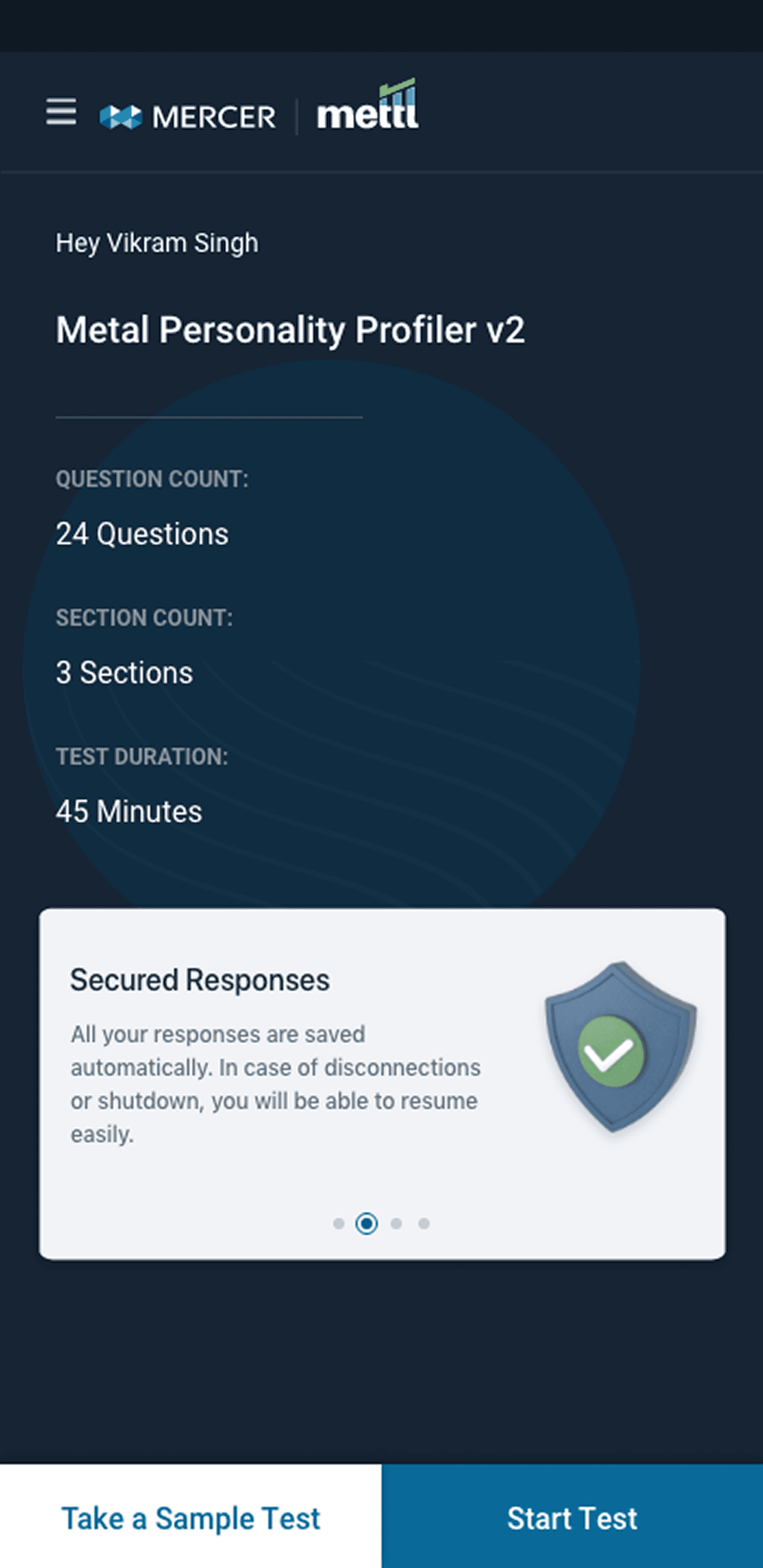
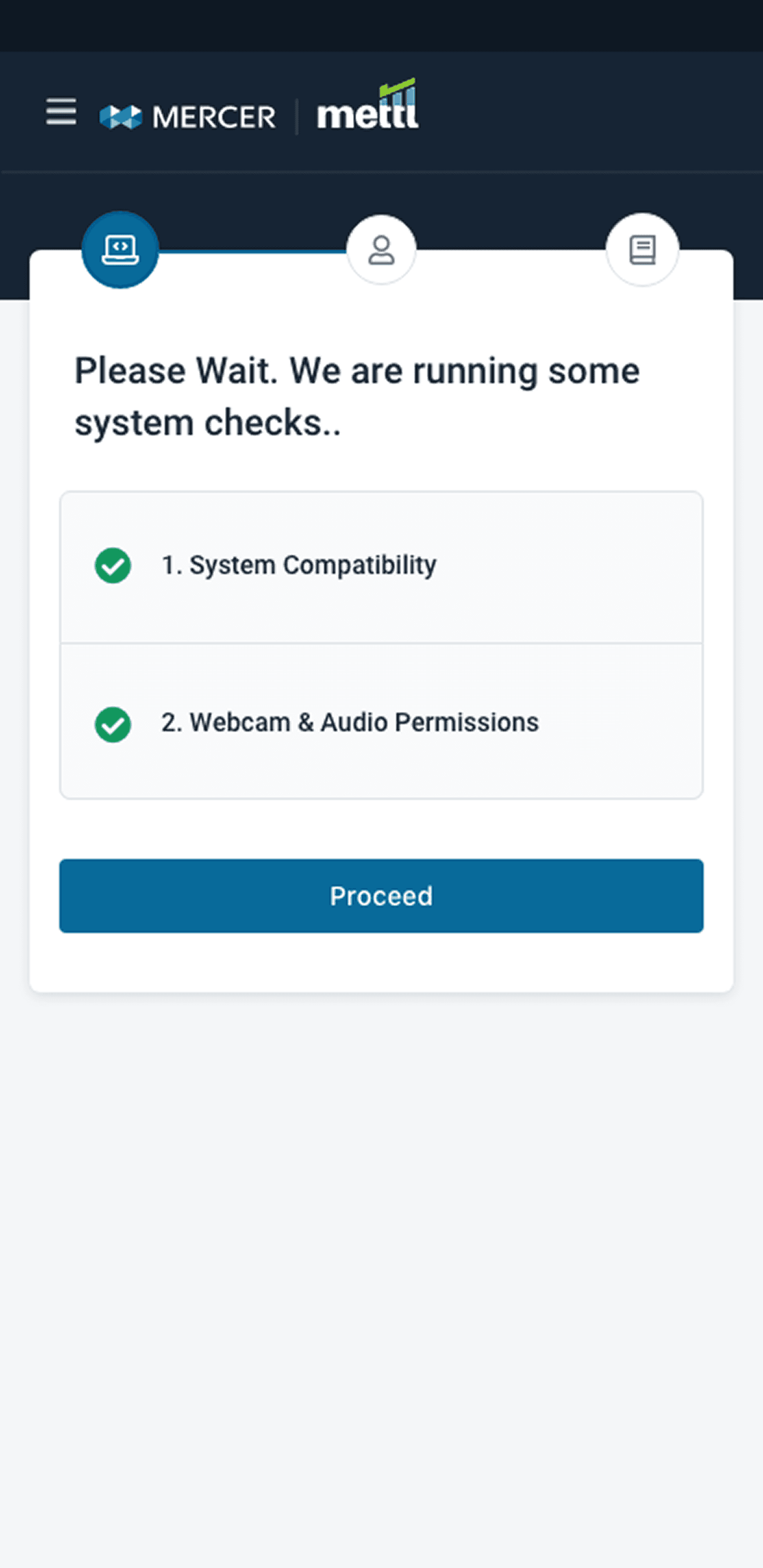
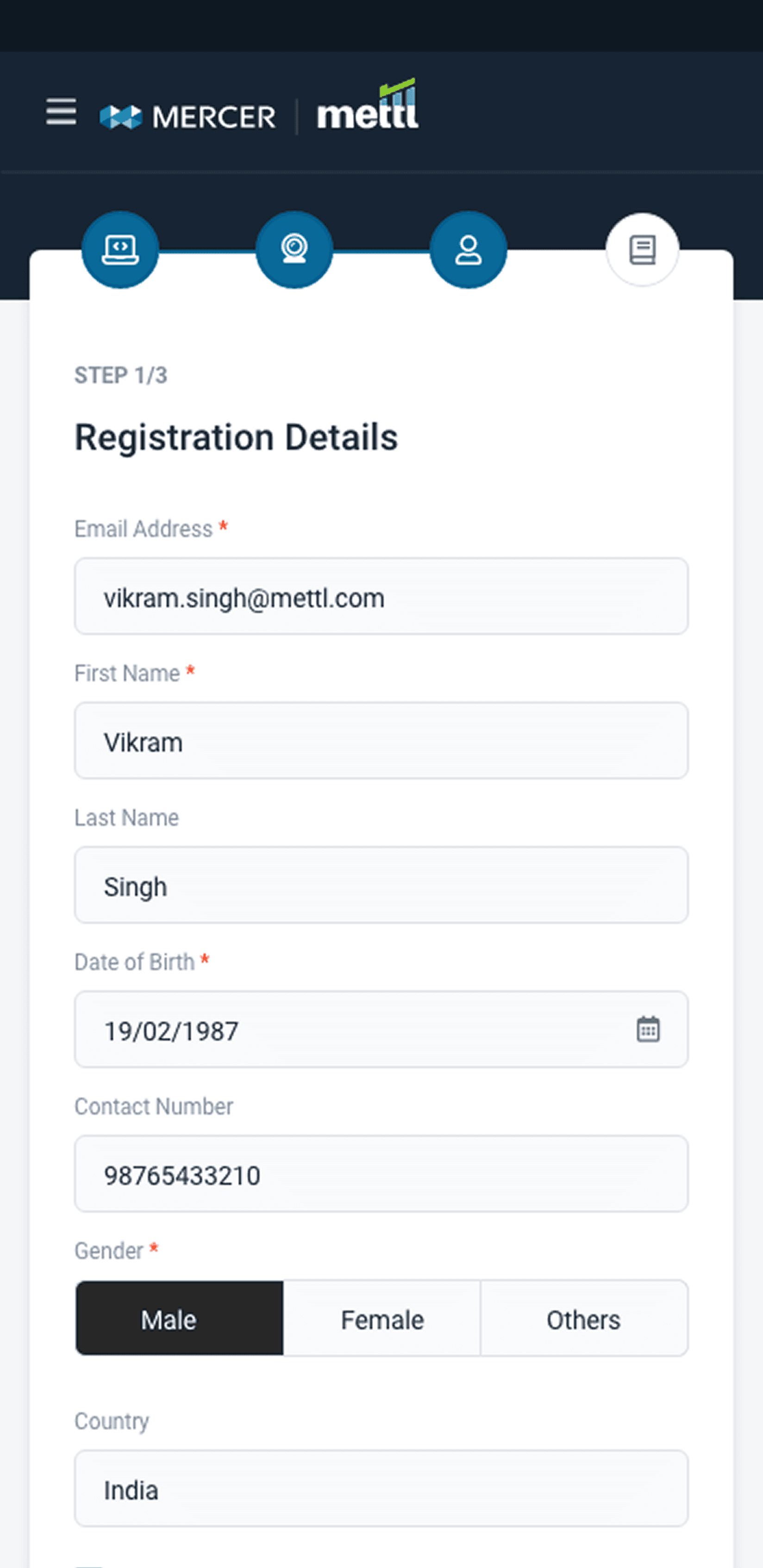
Revamped UI: Before and After Comparison
Visualizing the transformation and demonstrating enhanced usability and modern aesthetics across key screens.
Desktop Design
Landing Page : Before & After
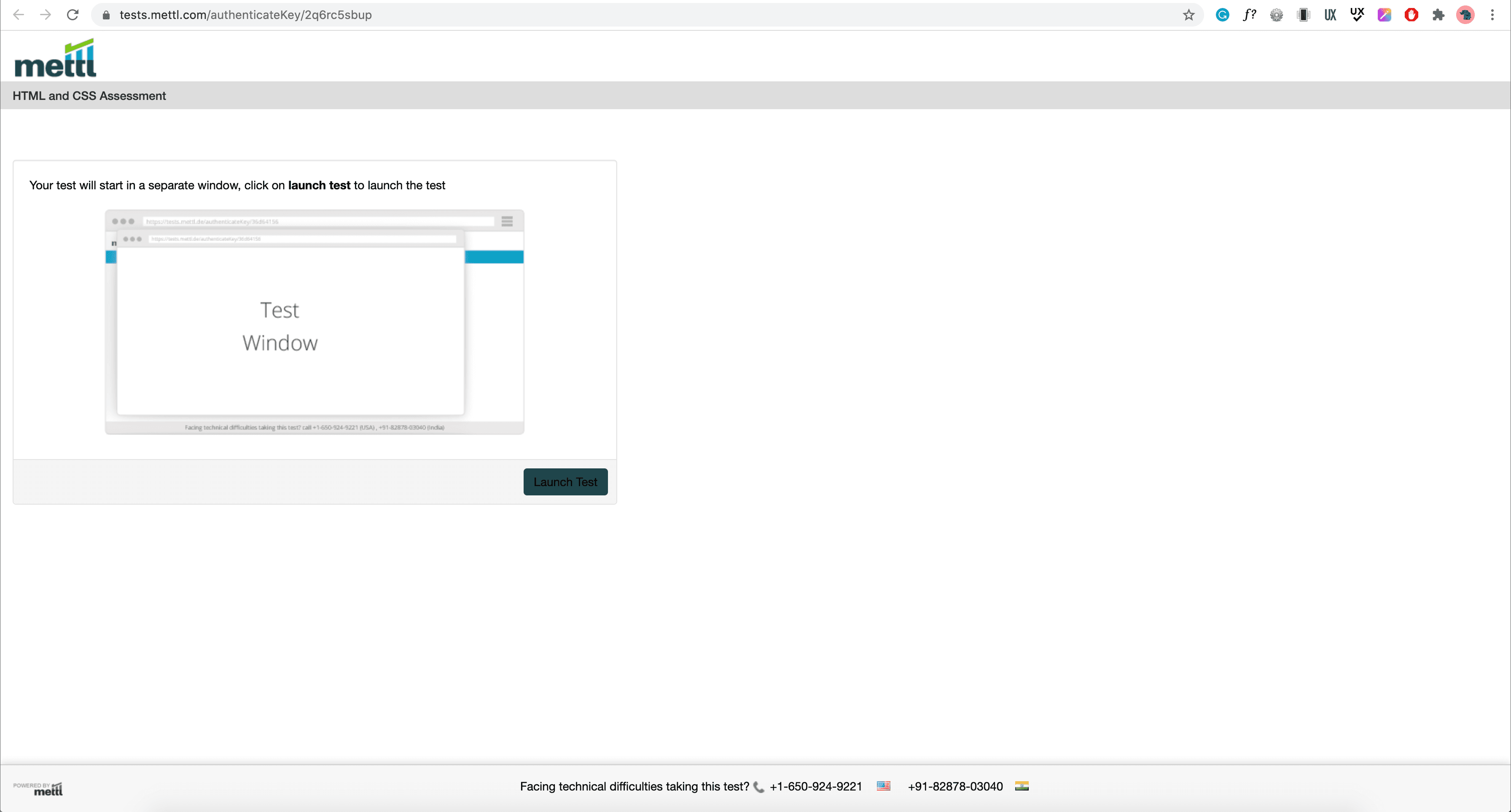
System Check : Before & After
CRF : Before & After
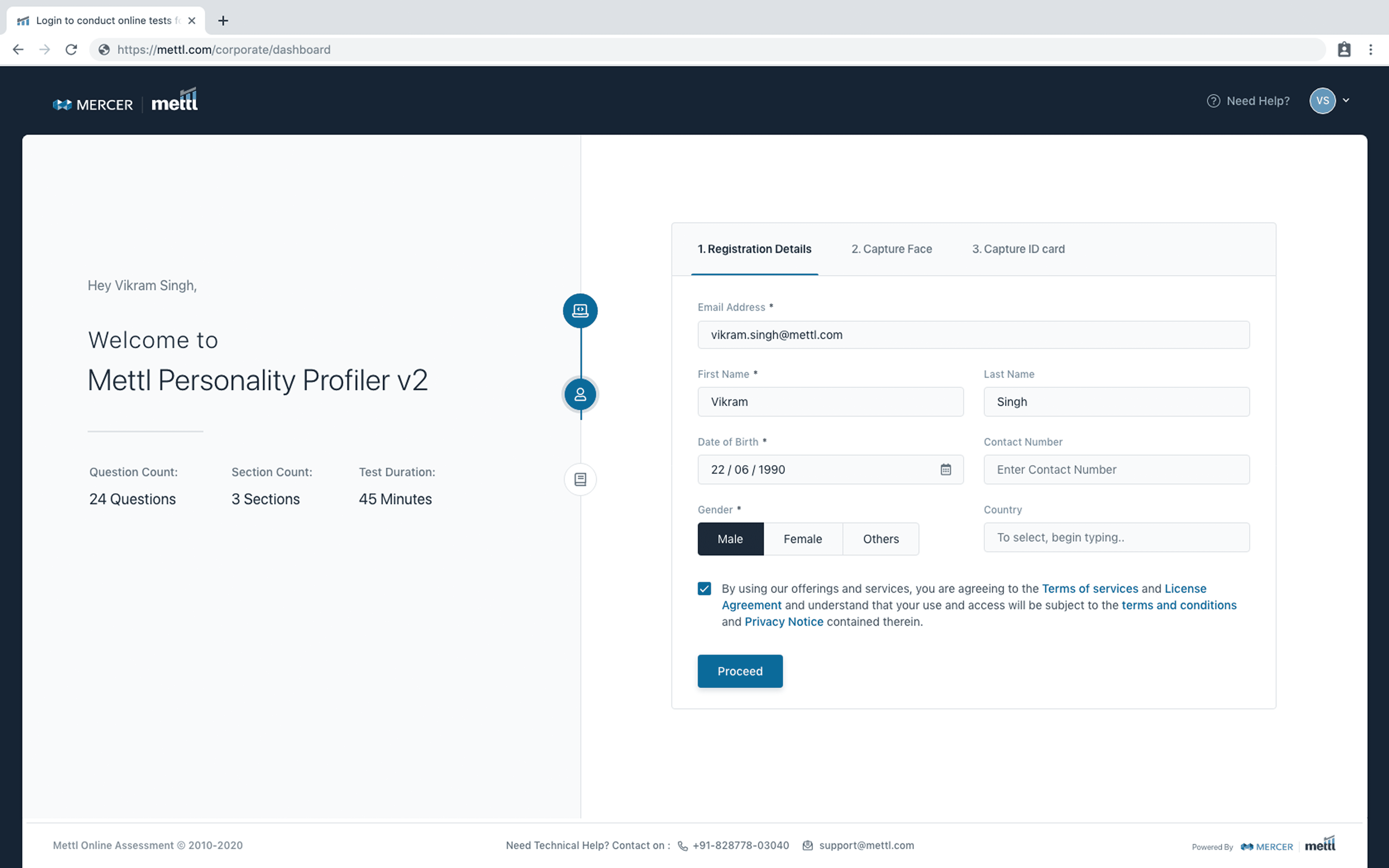
Section Selection: Before & After
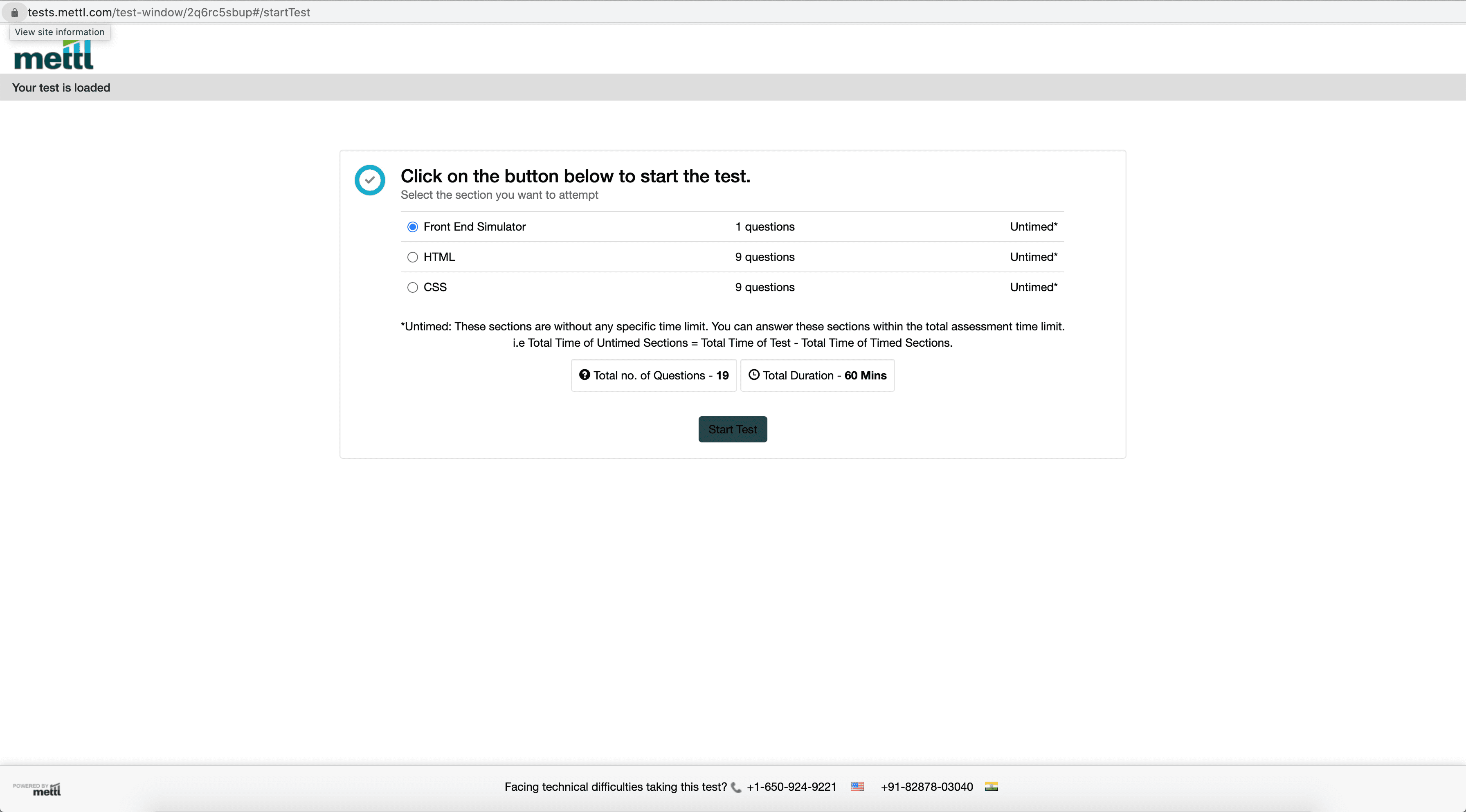
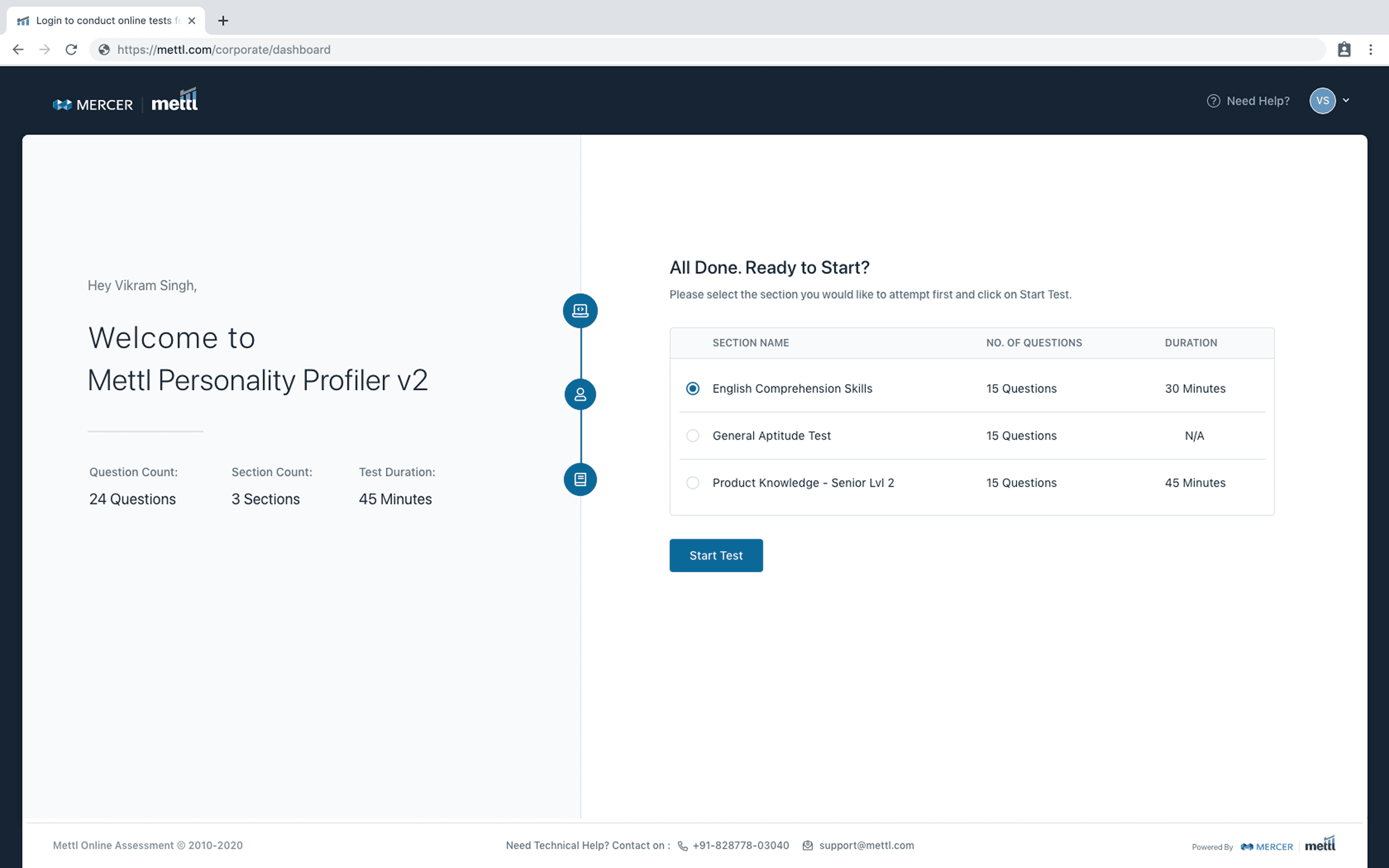
Test Taker View: Before & After
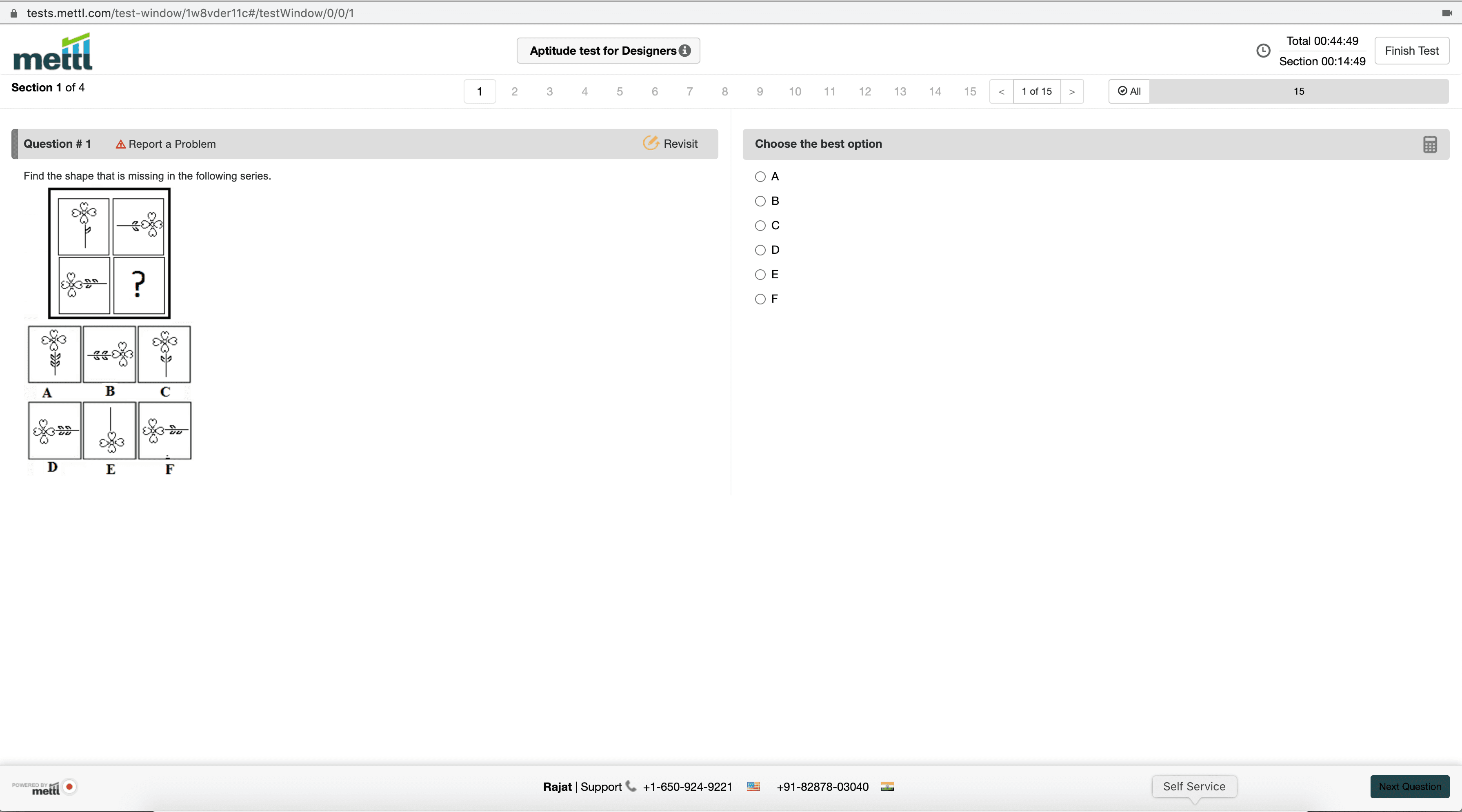
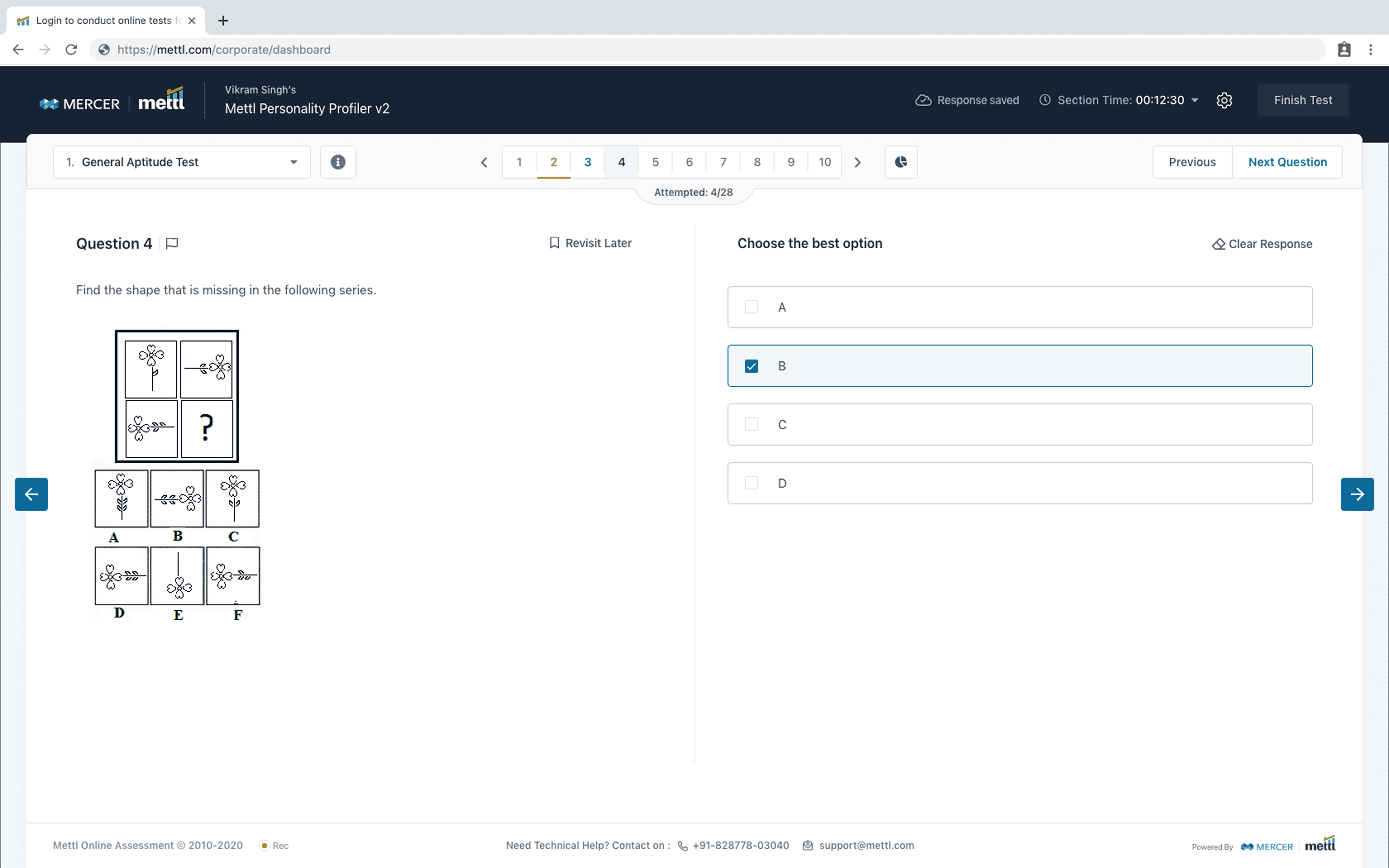
Test Summary: Before & After
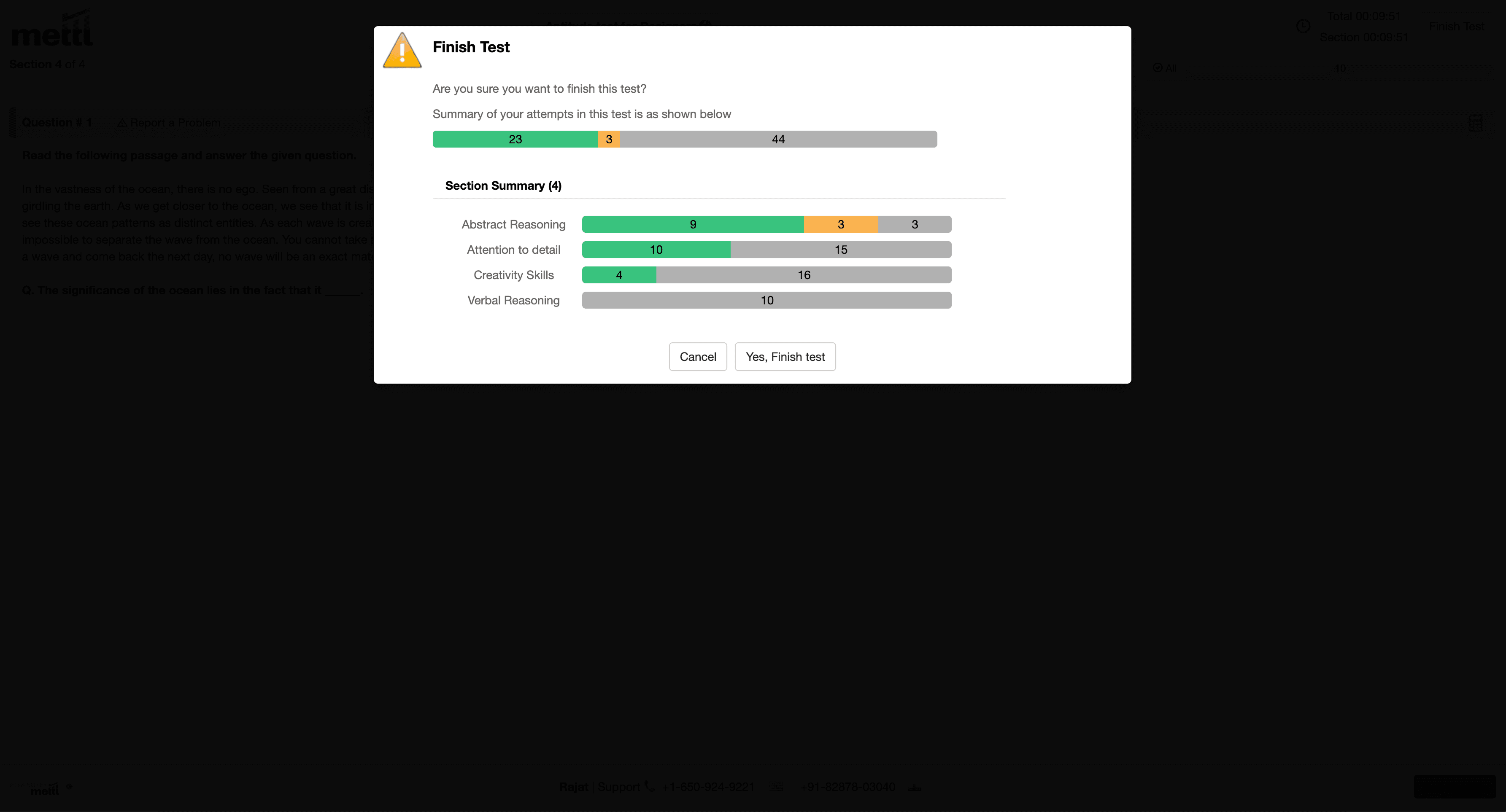
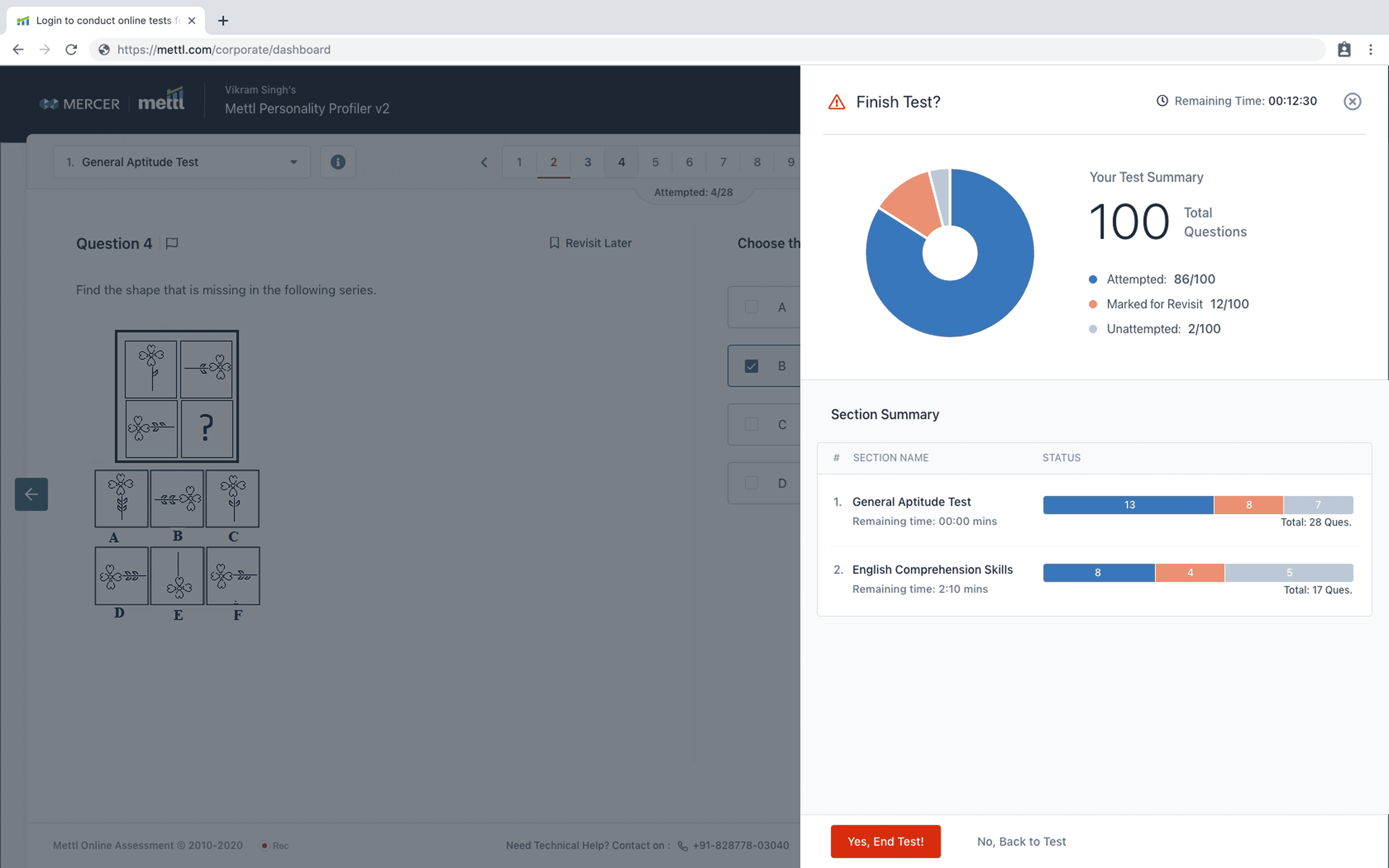
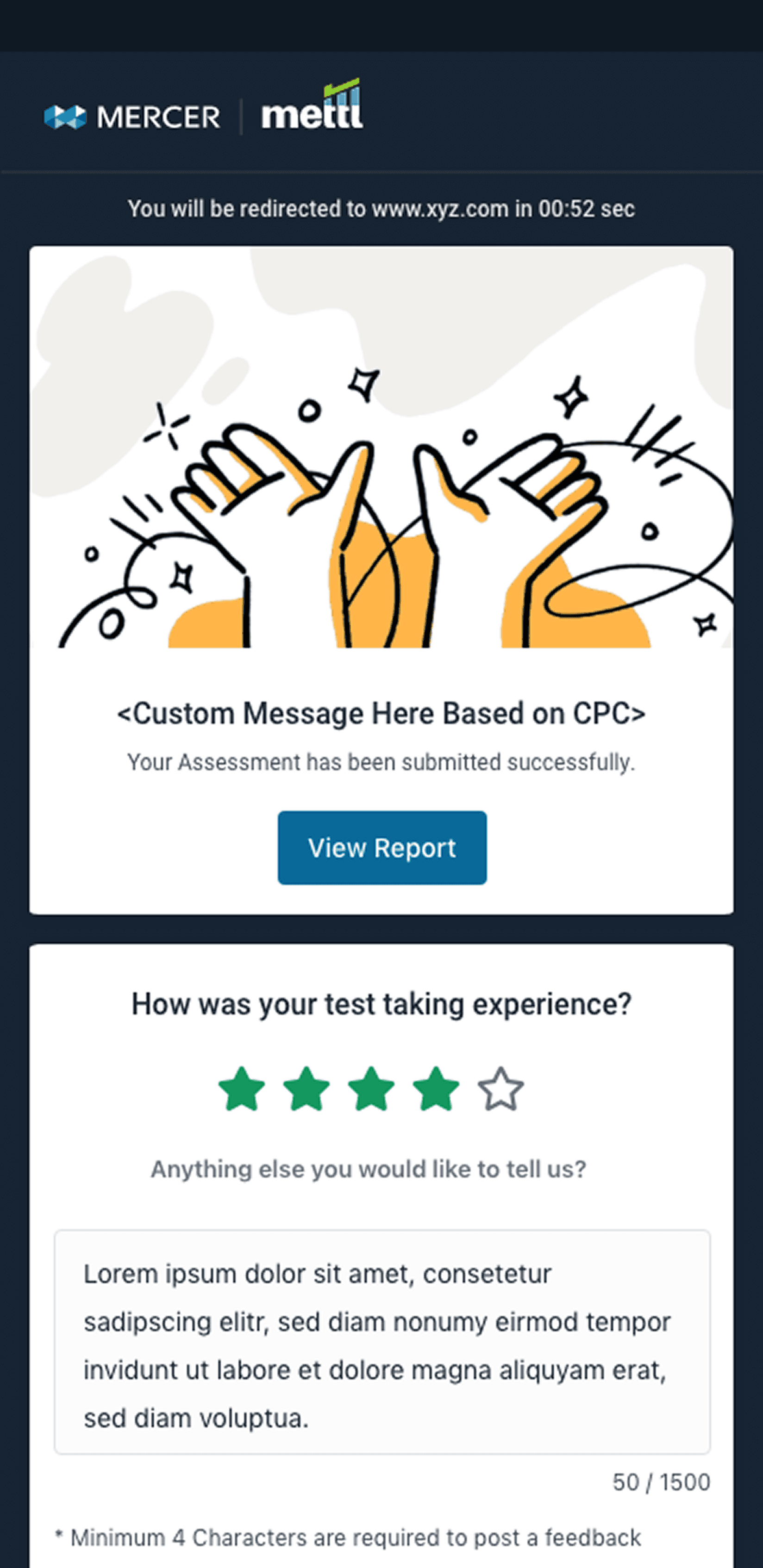
Test Feedback: Before & After
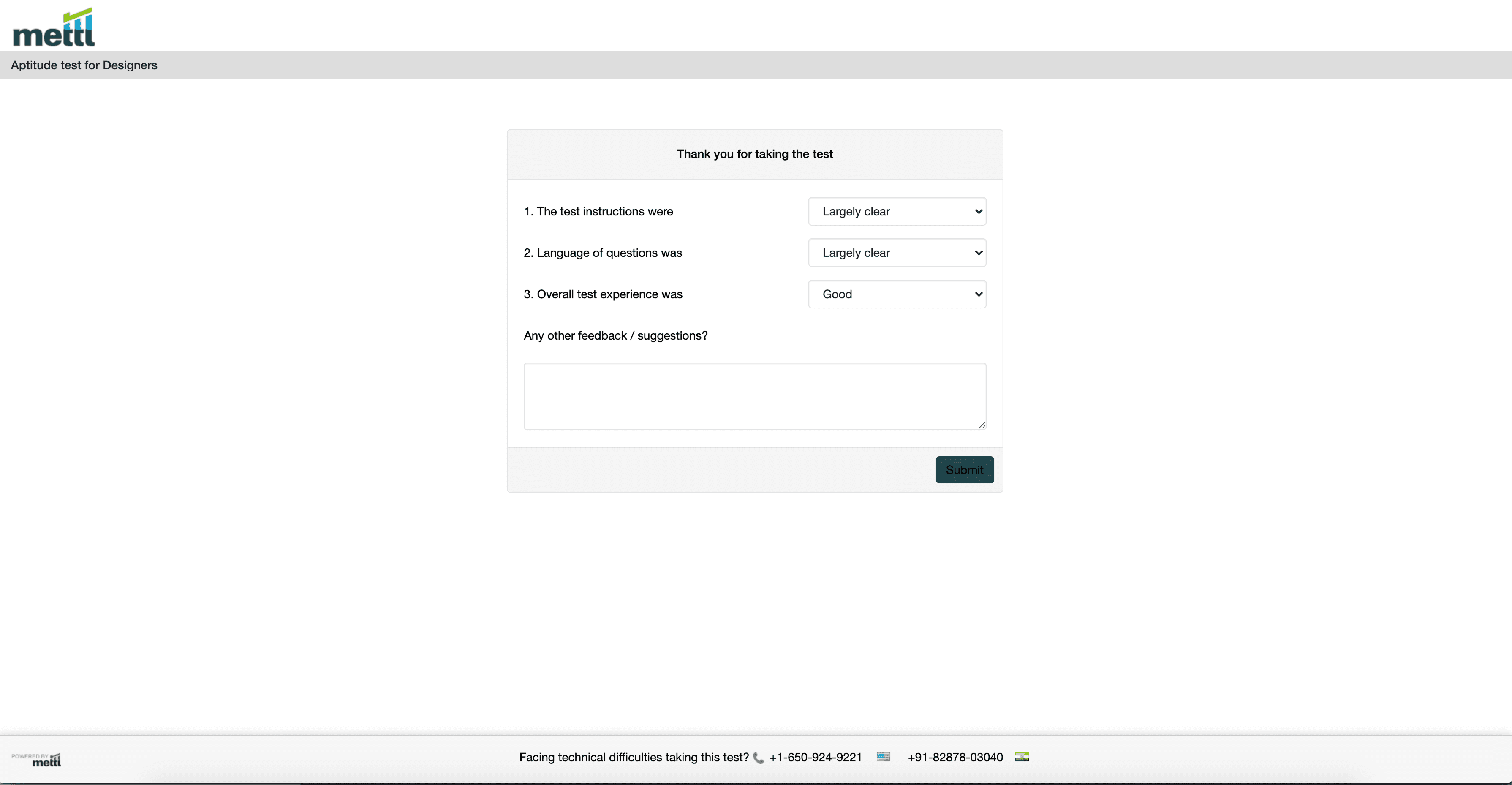
Mobile Design
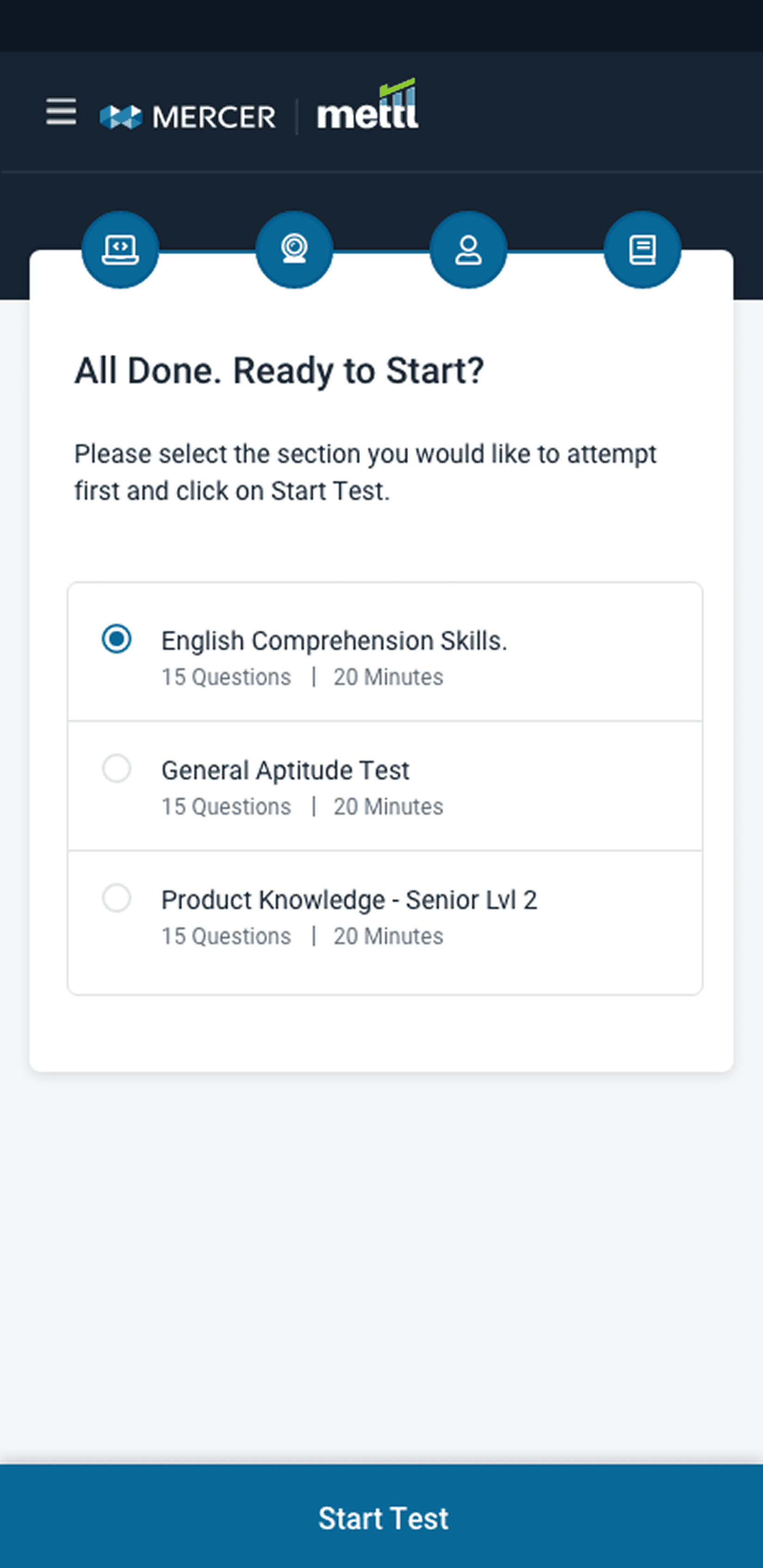
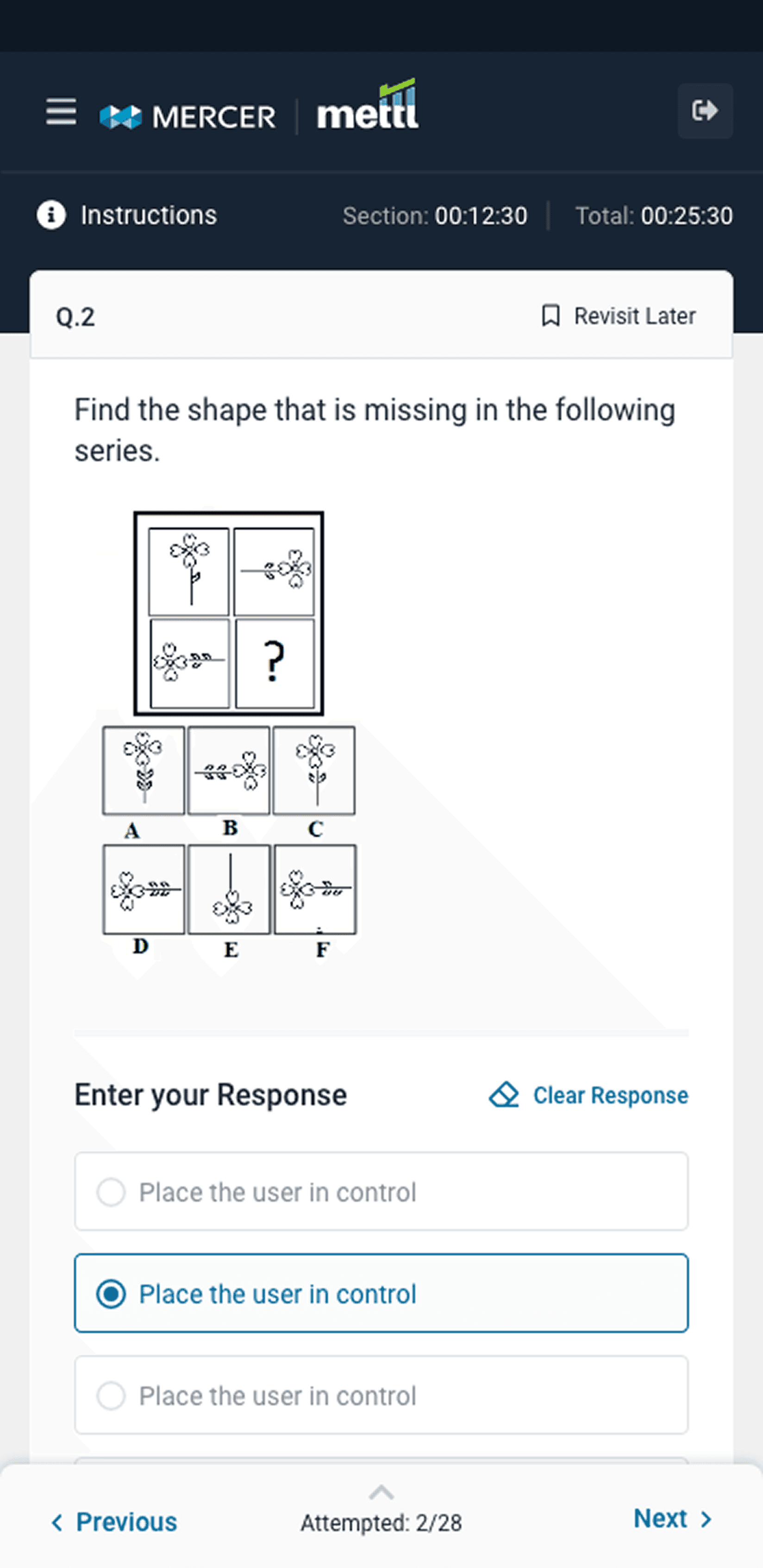
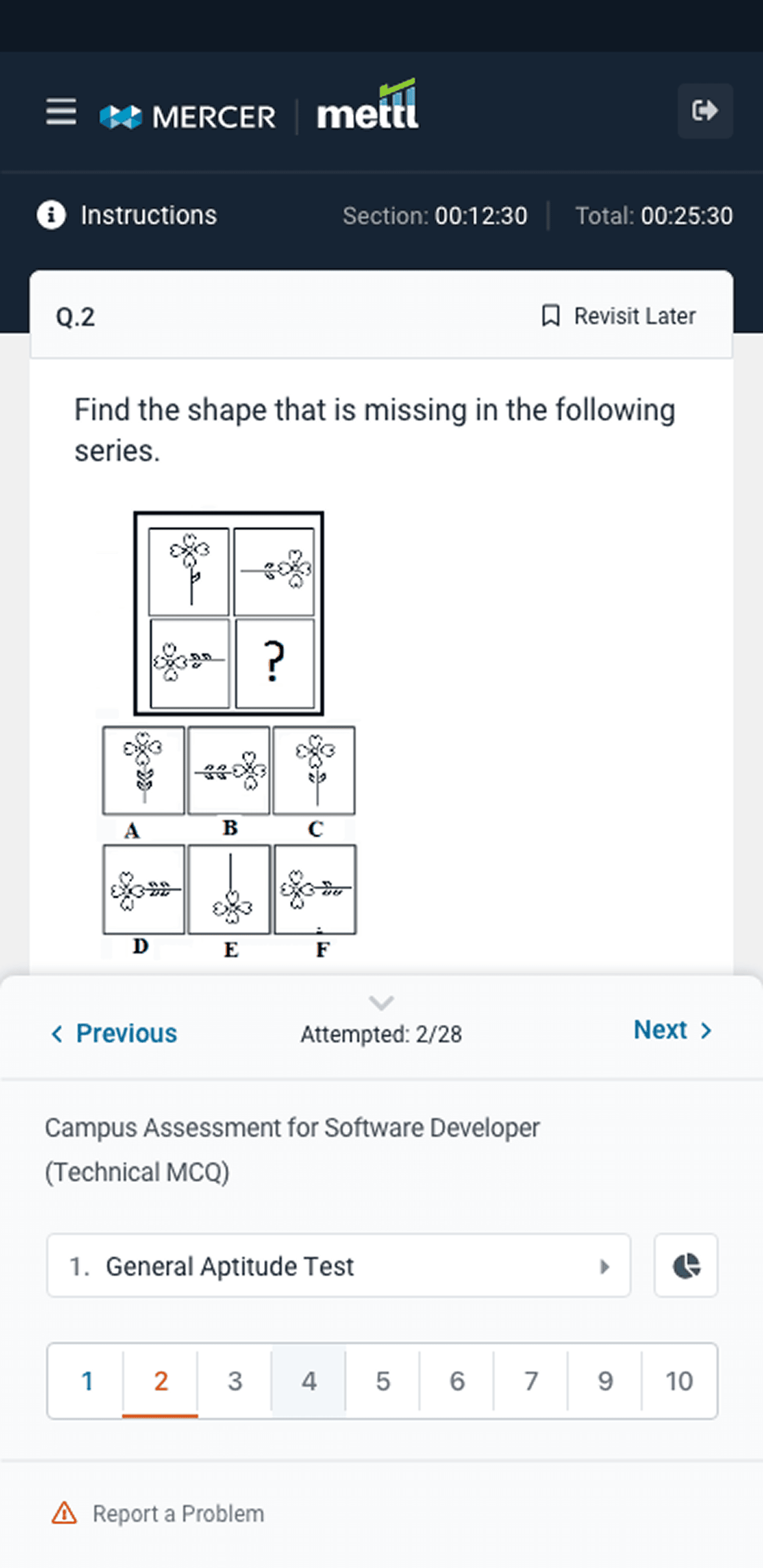
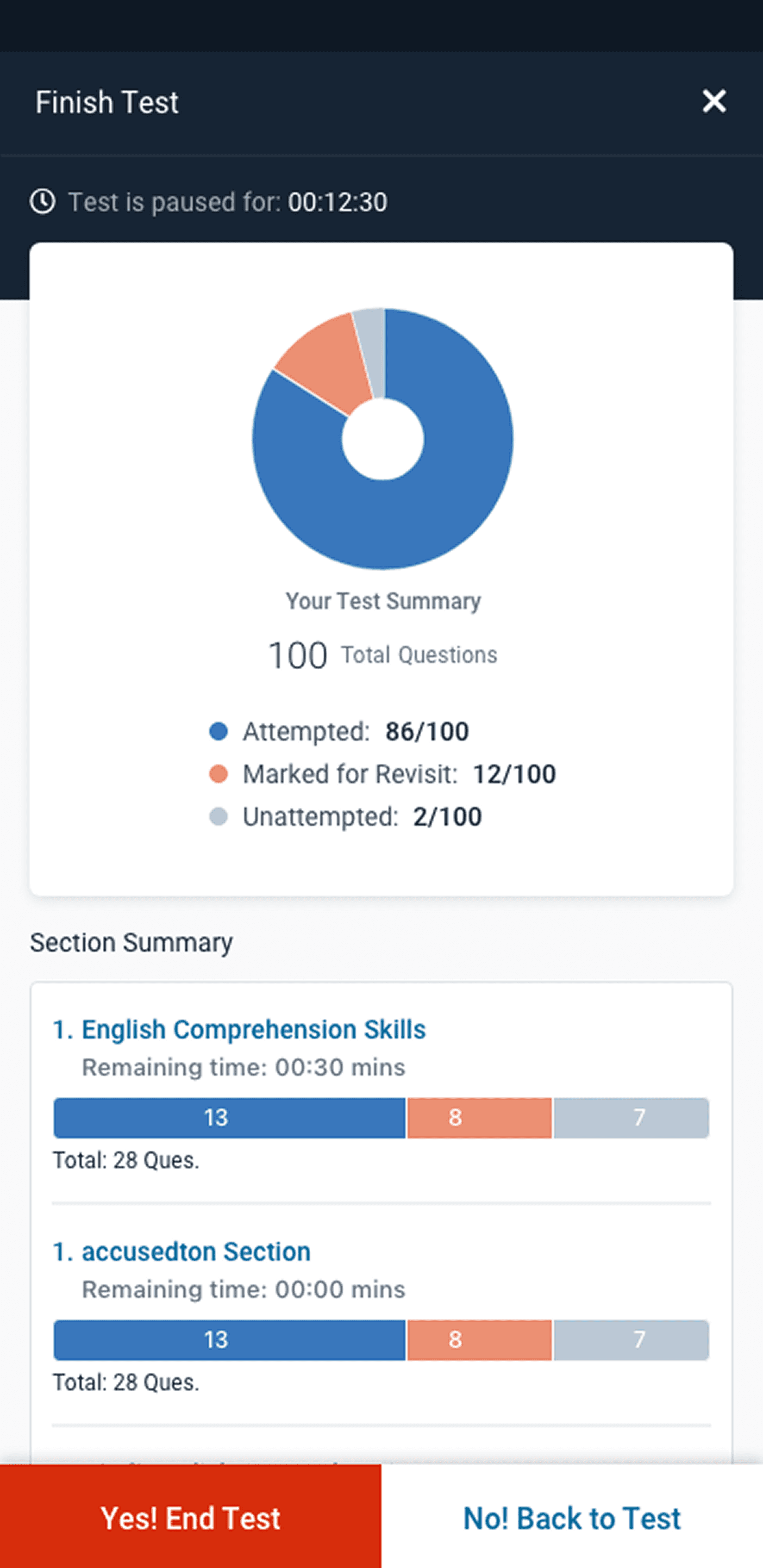
Enhancements Introduced
Before
Static instruction blocks
Button placement varied
No system feedback
Poor mobile UX
Missing accessibility support
Candidate confusion mid-test
After
Illustrated, digestible cards
Consistent CTA structure
Real-time save indicators and mic/cam check confirmations
Touch-optimized responsive design
Full WCAG 2.2 AA compliance
In-flow contextual help and tooltips
We ran A/B tests, internal QA simulations, and candidate pilot runs. Key refinements were based on feedback like:
Adding a "question walkthrough" tutorial to reduce first-time user friction
Reducing scrolling in critical sections for better focus
Enhancing visual contrast and font sizes for readability
Result & Impact
Metric
Candidate Drop-Off (Pre-Test)
Test Completion Rate
UI-Related Support Tickets
Candidate Satisfaction (NPS)
Accessibility Audit Score
Before Redesign
18%
82%
High
22+
54%
After Redesign
5%
94%
40% Low
63+
72%
Business & Client Outcomes
95% malpractice reduction with enhanced proctoring flow
70% increase in remote hiring adoption during post-COVID surge
30% drop in hiring attrition, thanks to smoother candidate journeys
Used by 1M+ candidates across 100+ countries
Received WCAG 2.2 and ADA compliance certifications from external auditors
Learnings
The RR platform redesign was more than a UI revamp—it was a transformation of how candidates experience assessments. From uncertainty to confidence, from complexity to clarity, we designed a product that works better for everyone and that’s what good design should always do.
• Designing for high-pressure use cases requires more than great visuals—it demands empathy-driven decisions.
Accessibility is not a checklist; it’s a mindset that needs to be present from day one.
Cross-team alignment (product, engineering, QA, compliance) was critical to success.
“ Thanks for reading. Want to see the visual journey or dive into design system strategies behind this revamp? Let’s connect.”
Rajat Budakoti
Product Design Leader | UI/UX & Visual Designer
Creating meaningful digital experiences through user-centered design, strategic thinking, and collaborative leadership.
© 2025 Rajat Budakoti. All rights reserved.
Designed & Built with ❤️